



How to Use QR Codes on Printed Marketing Materials
How to Use QR Codes on Printed Marketing Materials Printed marketing materials are still important for business branding. QR code

Printed marketing materials are still important for business branding. QR code printing makes them more useful by connecting customers to websites, reviews, social media, offers, product guides, or WhatsApp chats with a quick scan.
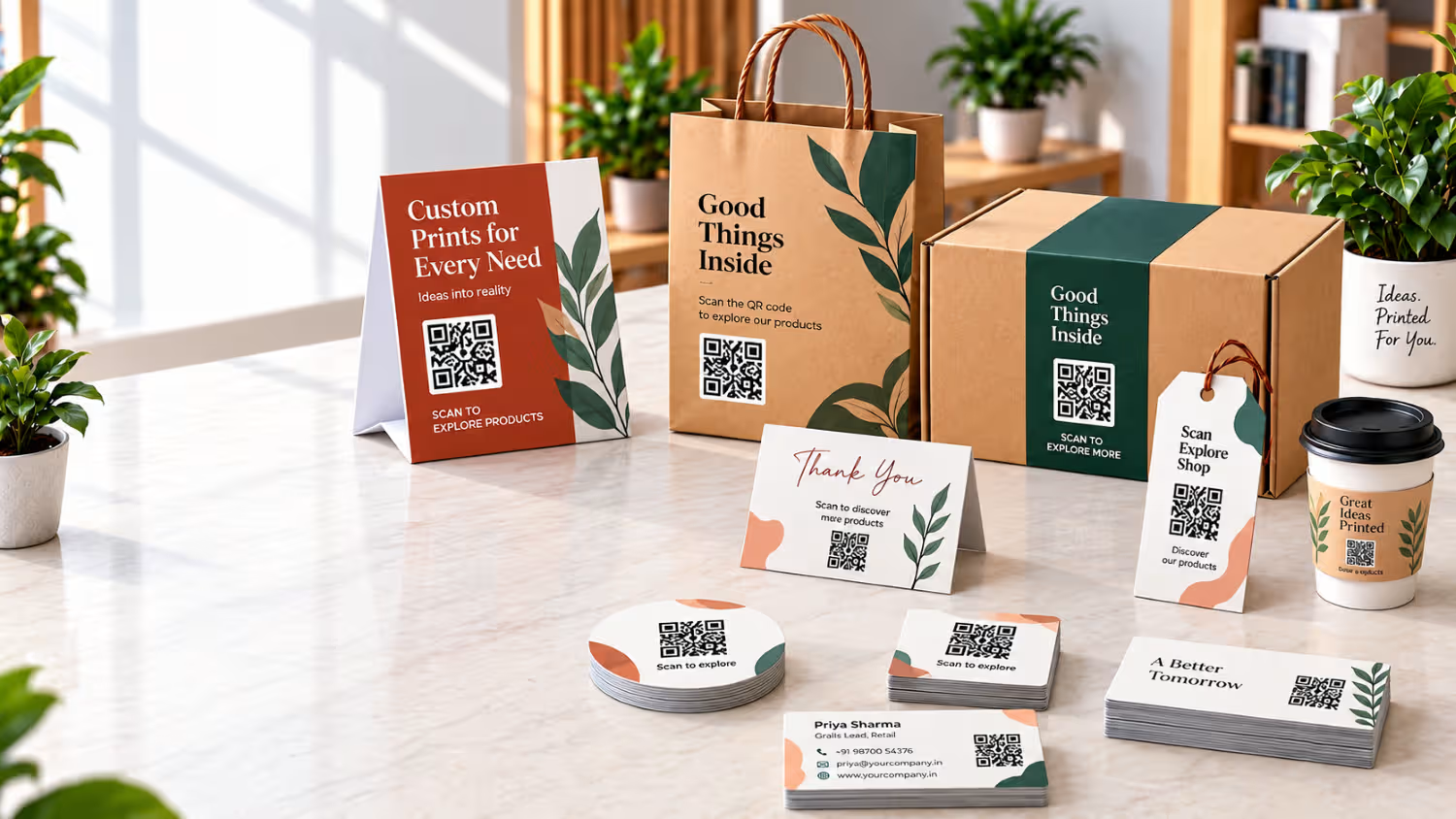
You can add QR codes to business cards, packaging, labels, stickers, thank-you cards, and corporate gifts. This helps businesses connect print with digital information and create a simple, convenient customer experience.
What Is QR Code Printing?
QR code printing means adding a scannable QR code to printed materials. It directs customers to digital destinations such as your website, catalogue, review page, social media, WhatsApp chat or product information. For example, a food brand can add a QR code to packaging for ingredients, recipes, or reorder options, while a business can use one on a business card to open a digital profile. This makes traditional print more interactive and useful.
Where Can Businesses Use QR Codes in Print?
QR codes can be added to many types of QR code marketing materials. Common applications include:
1. QR Codes on Business Cards
Business cards are one of the easiest places to use a QR code.
A traditional card usually provides a phone number, email address, website and social media details. A QR code can bring all this information together.
For example, your QR code business card could link to:
- Your website
- Digital contact details
- LinkedIn profile
- Portfolio
- Online catalogue
- Appointment page
You can also use a short CTA such as “Scan to view our catalogue” or “Scan to connect with us.”
Keep the QR code visible without allowing it to overpower your business card design.

2. QR Codes on Product Packaging
Packaging is another strong opportunity for QR code printing.
Customers often want more information after purchasing a product. However, putting everything on the package can make the design crowded.
A QR code solves this problem.
You can use QR code on packaging to provide:
- Product instructions
- Ingredient information
- Product videos
- Warranty registration
- Customer support
- Recipes
- Product authentication
- Reorder options
- Special offers
For example, a skincare brand could print a QR code beside the text “Scan for usage instructions.”
The customer gets additional information without making the packaging difficult to read.

3. How to Add a QR Code to Printed Packaging
Start by deciding what you want customers to do after scanning, then create a mobile-friendly landing page. Generate the QR code, add it to your packaging design and leave enough clear space around it for easy scanning. Finally, test the code on the actual packaging material before placing a large print order.
4. QR Codes on Labels and Stickers
QR code labels and stickers are useful when you need to add digital information to products without redesigning the entire package.
For example, a product label can include a QR code that directs customers to:
- Product details
- Reviews
- Instructions
- Warranty information
- Your website
- Customer support
- Reordering options
QR codes can also be useful for promotional stickers.
A discount sticker could include a CTA such as “Scan to claim your offer.”
This turns a simple printed sticker into an interactive marketing tool.

5. QR Codes on Thank-You Cards
A thank-you card is more than a polite gesture. It can also create another customer touchpoint. You can add a QR code printing to your thank-you card and invite customers to take the next step.
For example:
“Loved your order? Scan to leave us a review.”
Or:
“Scan to explore our new products.”
Other useful destinations include:
- Review pages
- Loyalty programmes
- Referral offers
- Social media
- Online stores
- Feedback forms
- Customer support
This approach makes your printed thank-you cards more useful after the purchase.

6. QR Codes on Corporate Gifts
Corporate gifts can connect physical branding with digital content using QR codes. Add them to gift packaging, inserts, cards or promotional products. Employee gifts can share digital greetings, while client gifts can link to company profiles, catalogues or thank you pages.
Common uses include:
- Event information
- Digital catalogues
- Brand videos
- Product demonstrations
- Company websites
- Feedback forms
The goal is simple: give recipients a useful reason to scan.
What Should Your QR Code Link To?
The QR code is only part of the experience. The page it opens should be fast, relevant and mobile-friendly. Choose a digital destination that matches your marketing goal and gives customers useful information.
1. Website and Landing Page QR Codes: Help customers discover your business, service, or product. Link the code to a website, campaign page, or mobile landing page with focused information.
2. Review QR Codes: Make feedback easier by adding a review link to packaging, receipts, thank-you cards, or inserts. Use a clear CTA such as “Scan to share your feedback.”
3. WhatsApp QR Codes: A WhatsApp contact code lets customers quickly reach your business. It works well for enquiries, customer support, product questions, and orders.
4. Social-Media QR Codes: Build your online presence by connecting customers to your social media profiles. You can also use one page to display multiple social channels.
5. Product-Information QR Codes: Add these to product packaging and labels to share specifications, ingredients, instructions, or other details that cannot fit in the printed design.
6. Reorder QR Codes: For frequently purchased products, connect the code to a reorder or online shopping page. This helps customers place repeat orders with fewer steps.
7. Coupon and Offer QR Codes: Use promotional QR codes to share discounts, special deals, campaign details, or limited-time offers. Clearly mention the benefit beside the code.
Where Should You Place a QR Code?
Good placement helps customers scan a QR code easily. Keep it visible, accessible and away from areas that can affect scanning.
For example:
- Business cards: Back or lower section
- Packaging: Side or back panel
- Labels: Near product details
- Thank-you cards: Beside the CTA
- Posters: At an easy-to-reach height
- Product inserts: Near instructions or offers
Avoid folded edges, curved surfaces or damaged areas. Leave enough clear space around the code so phone cameras can detect it quickly.
How Big Should a Printed QR Code Be?
Choose the QR code size based on scanning distance, print quality, surface, and design. As a general guideline, keep the QR code at least 2 × 2 cm (0.8 × 0.8 inches) for reliable scanning. Use a larger size for posters or materials scanned from farther away. Always test the printed code before mass production.
Should the QR Code Be Black and White?
Black and white offers the strongest contrast and is usually the safest choice. Coloured codes can also work when they stand out clearly against the background. Avoid low-contrast colours, busy backgrounds, heavy gradients, blur, or decorative elements that affect scanning. Keep the design branded without compromising readability.
Can QR Codes Be Printed on Coloured Materials?
Yes, QR codes work on coloured materials when there is enough contrast. A dark code on a light background is usually easier to scan than one on a dark surface. For coloured designs, test the code on different phones and check the printed shade before final production.
Common QR Code Printing Mistakes
1.Unrelated Destination : Match the QR link with the message beside it.
2. Too Small: Keep the code large enough for easy scanning.
3. Poor Contrast: Use clear contrast instead of overly decorative designs.
4. No Testing: Test the final printed code before production.
5. Poor Mobile Experience: Make sure the linked page loads quickly and works well on phones.
6. No CTA: Tell customers what they will get after scanning:
- Scan to view our catalogue
- Scan to get 10% off
- Scan to contact us
- Scan to leave a review
How to Test a QR Code Before Printing?
Before custom QR code printing, scan the code on different phones and test it on Wi-Fi and mobile data. Check the final size, material, and linked mobile page. Make sure everything works smoothly before printing.
Static vs Dynamic QR Codes
1. Static QR Code
A static QR code has a fixed destination. If the link changes, you usually need a new code and fresh printing. It suits information that stays the same.
2. Dynamic QR Code
A dynamic QR code lets you change the destination without replacing the printed code, depending on the service. It suits campaigns, packaging and long-term marketing materials.
How Businesses Can Create a Connected Print Strategy
Instead of adding QR codes randomly, give each one a clear purpose. For example:
- Business Card → Company profile or contact page
- Product Packaging → Product details
- Product Label → Instructions or warranty
- Thank You Card → Review page
- Corporate Gift → Brand story or catalogue
This approach connects different physical marketing touchpoints and gives customers a useful reason to scan.
When Does QR Code Printing Make Sense for Your Business?
QR codes are useful when they simplify the customer experience. They can provide extra product details, collect reviews, share offers, deliver digital content or help people contact your business.
Before adding one, ask: “What should the customer do after scanning?” If there is a clear purpose and destination, use it. Otherwise, a QR code may not be necessary.
Make Your Printed Marketing More Interactive
Printed materials can connect customers to digital channels without losing their physical impact. QR code printing works well on business cards, packaging, labels, stickers, thank-you cards and corporate gifts. Choose a relevant destination, add a clear CTA, maintain good contrast, select a suitable size and test the final print. This simple approach can turn everyday print into interactive marketing and useful customer experiences.
Add QR-enabled branding to your next print order with Quapri. Explore custom printing options at Quapricatalogue.com and connect your printed materials with your digital customer journey.